
Manage it where you work
Use the dashboard for charts and the playground, zctl for terminal commands and scripts, or MCP to let an AI assistant manage your account. Your account controls follow you across all three.
Connect your assistantTHE SUPER INTELLIGENCE ROUTER
Point your app at one ZRouter endpoint and one virtual model name. ZRouter scores every request in under a millisecond and routes it to the right tier of models you choose. Change providers any time; your app never notices.
Switching AI providers usually means a new SDK or endpoint, new env vars, a new model string, and a redeploy. Adding a fallback provider means all of that twice.
With ZRouter, your app only knows one endpoint and one virtual model. Providers, weights, fallbacks, and schedules live behind that name, and you change them in the dashboard, zctl, or MCP. We translate each request for the provider that serves it.
WHAT MAKES IT DIFFERENT
Four choices that shape how ZRouter works.
Use the dashboard for charts and the playground, zctl for terminal commands and scripts, or MCP to let an AI assistant manage your account. Your account controls follow you across all three.
Connect your assistantSaved keys are encrypted and bound to your account and provider. Each request runs on isolated clients built from your keys, and works with your virtual models across every provider you saved a key for. It never uses platform keys or the shared response cache. The provider bills you directly, and our routing fee is separate.
How BYOK worksBuild private virtual models with fallback, weights, and session keeping. Point your application at a stable selector, then adjust its targets from the dashboard, CLI, or MCP.
Virtual modelsOpenAI-compatible chat, Responses, messages, and embeddings reach 34 provider types, from hosted APIs to engines you host yourself such as vLLM, Ollama, and llama.cpp.
See the providers01 / CLARITY
Every request leaves a trail you can read. Follow token usage by model, open your request logs, and compare estimated provider cost with what was actually debited from your balance.
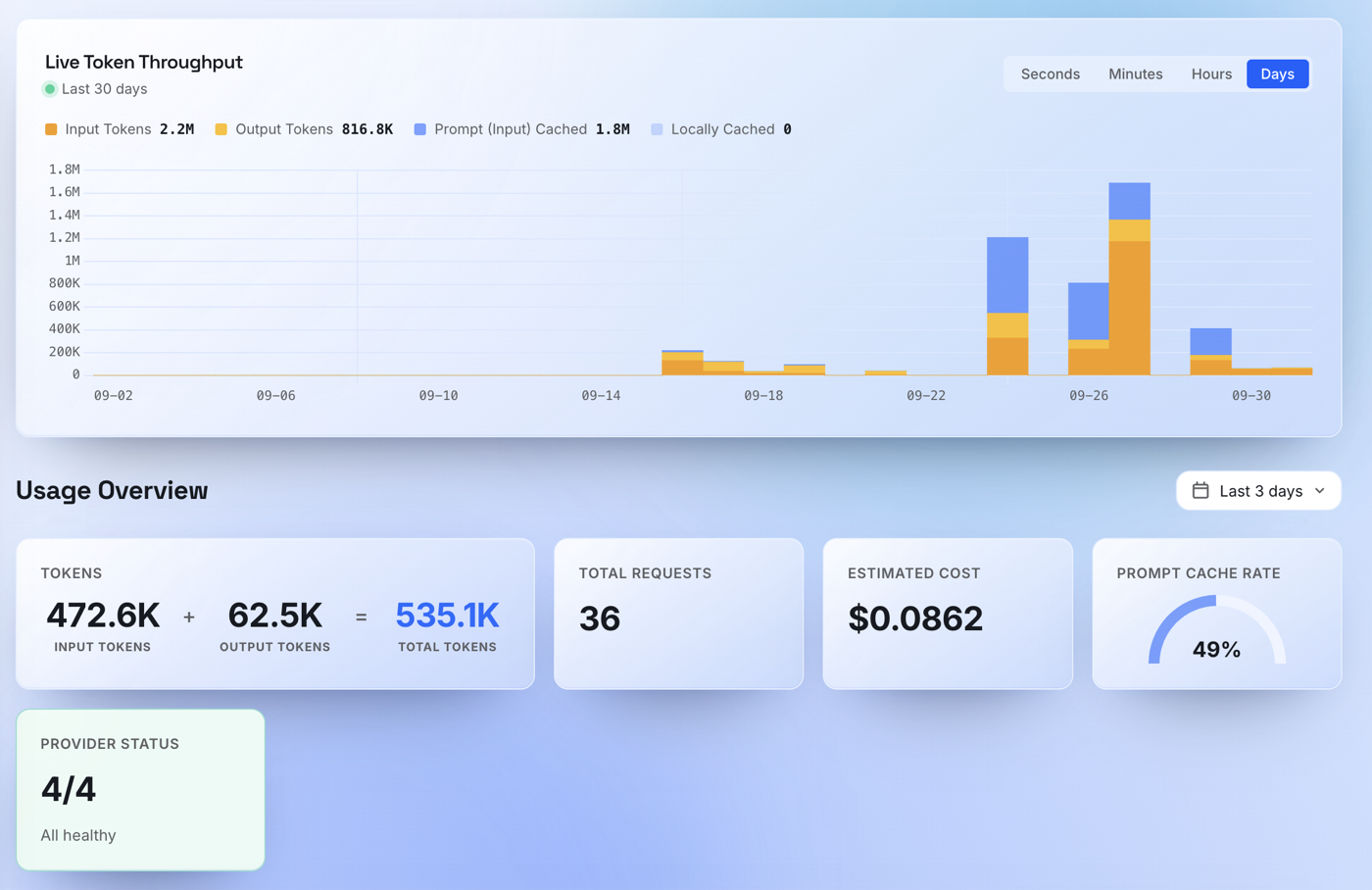
What you see in request logs depends on the workspace's retention and body-capture settings.
02 / TRUST
Save a provider key and it is encrypted with AES-256-GCM. The API never returns it.
Requests made with your key run on an isolated provider client, and the provider bills you directly. Any ZRouter routing fee is shown separately.
BYOK setup03 / SIMPLICITY
Add $5 or more of prepaid credit at a time through Stripe-hosted Checkout. There is no subscription, and every API key in your account draws on one balance.
See token pricingSTAY IN CONTROL
Give each application its own key and manage spending and request rules within your account.
Create a named key for each app or teammate. Copy the secret once, and revoke any key the moment you stop trusting it.
When enabled, set budget rules for your own account and watch spend estimates against them. Reset your own counters when you need to.
When enabled, set rate-limit rules for your account. Changes and resets only ever apply to your rules, never another customer's.
ROUTING THAT STAYS OUT OF YOUR CODE
Give your app one stable name. Decide later what sits behind it, without a redeploy.
Point a virtual model at several targets, set weights, and reorder them. If one target fails, fallback retries pick up the request. Session keeping holds a conversation on the same target.
Each virtual model gets a selector such as accounts/<account-id>/my-assistant. Paste it into the model field. It also shows up in the playground and in /v1/models for your keys.
Let ZRouter read each request and pick the model it needs: quick questions to a fast, cheap model, hard reasoning and code to your strongest one. Scheduled, failover, and lowest-cost routing are there too, and all of them work with your own provider keys.
How it decidesFIND IT. TRY IT.
Browse the models your account can use, then send a real request before you write any code.
See which models are enabled for your account and copy the exact identifier to send. Identifiers use the PROVIDER_INSTANCE/MODEL_ID format.
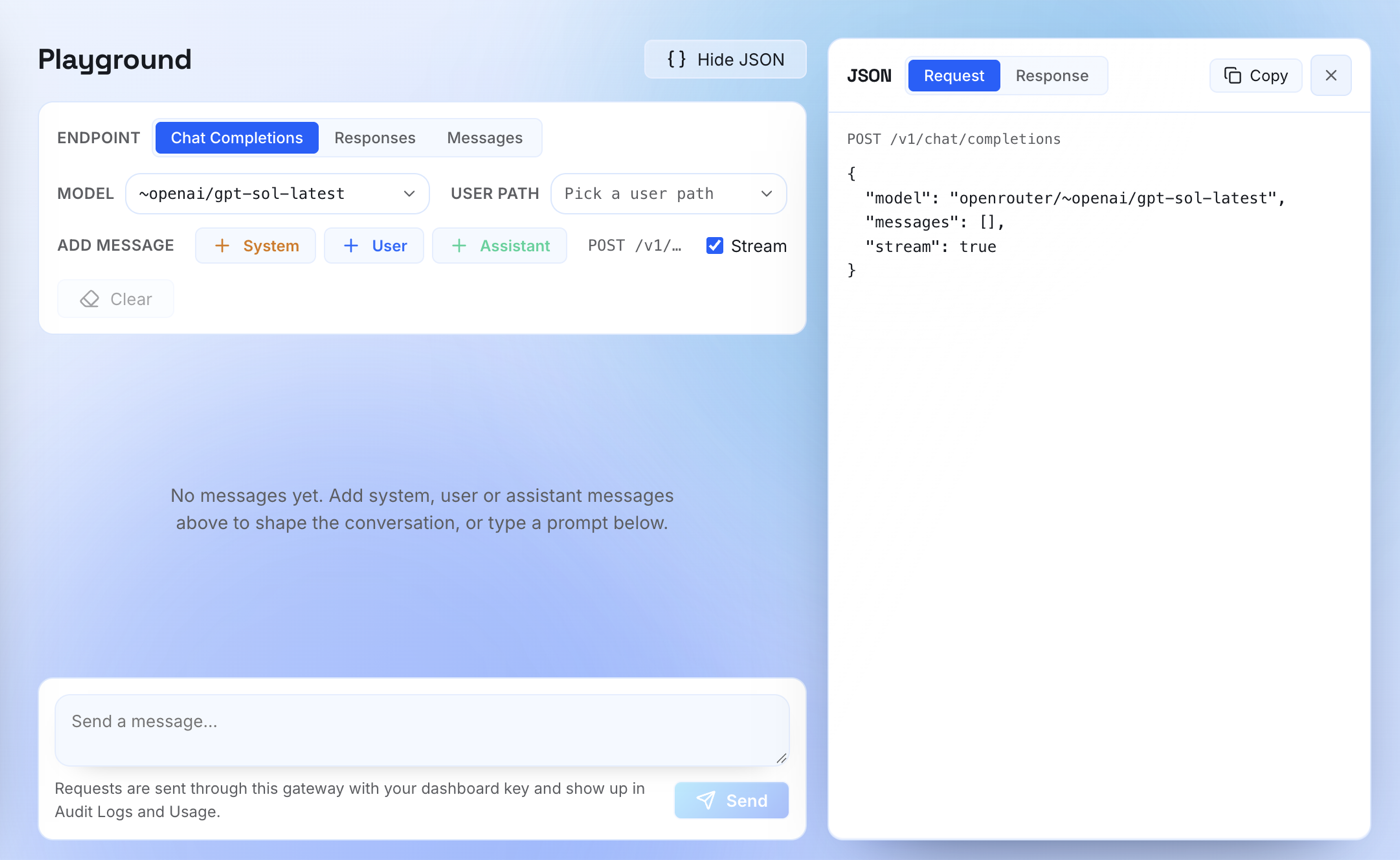
Pick a model and send a request with an account API key, paid with credits or your saved provider key.
Switch between Chat Completions, Responses, and Messages, and read the exact request and response. Requests appear in your request logs and usage.
PROVIDERS
The models you can call depend on what this workspace has enabled. Your dashboard shows the live list.
OpenAI, Anthropic, Google Gemini, xAI, Meta, Cohere, DeepSeek, Z.ai, MiniMax, Xiaomi, Kimi Code, Alibaba Bailian, ElevenLabs, ChatGPT subscription
OpenRouter, Groq, Cerebras, Fireworks AI, Hugging Face, Chutes, Kilo AI, Cloudflare Workers AI, Hetzner, OpenCode Go
Azure, Amazon Bedrock, Bedrock Mantle, Google Vertex AI, Oracle, Ollama, vLLM, SGLang, llama.cpp, llm-d
Bring your own keys works with OpenAI, Anthropic, Gemini, Groq, OpenRouter, DeepSeek, xAI, Cerebras, Hugging Face, Alibaba Bailian, Chutes, Cohere, Fireworks AI, Kilo AI, Kimi Code, Meta, MiniMax, OpenCode Go, Xiaomi, and Z.ai. BYOK uses official provider endpoints. Custom base URLs, Azure credentials, and Vertex service accounts are not supported. BYOK guide
A GATEWAY YOUR APP ALREADY SPEAKS
If your code can call an OpenAI-compatible API, it can call ZRouter. Use the ZRouter URL below with your account key, pick a model from your dashboard, and send.
Send your first requestcurl 'https://zrouter.si/v1/chat/completions' \
-H "Authorization: Bearer YOUR_ZROUTER_KEY" \
-H "Content-Type: application/json" \
-d '{
"model": "PROVIDER/MODEL_FROM_YOUR_DASHBOARD",
"messages": [
{"role": "user", "content": "Hello, ZRouter"}
],
"max_tokens": 256
}'WHAT YOU CAN CALL
ZRouter translates supported requests for each provider and returns a familiar response. Model capabilities vary, so check the API guide for the details.
Endpoint support/v1/chat/completionsChat + streaming/v1/responsesSupported text requests/v1/messagesMessages interface/v1/embeddingsText embeddings/v1/modelsAvailable models/v1/usageScoped usagePrepaid accounts support metered text requests. Media, tools, background jobs, and lifecycle endpoints are restricted.
AN HONEST FIT
We would rather you know the limits now than find them in production.
Prepaid accounts reject tools, media, background jobs, and stored response continuation. Routing model requests for coding agents such as Claude Code, Codex, Cursor, and Cline needs a standalone gateway. They can separately use the account MCP server to manage your ZRouter account.
Understand standalone gatewaysSetup guides for coding tools, chat interfaces, workflows, and SDKs, each with its billing requirements spelled out.
Browse integrationsWORK WHERE YOU BUILD
Use the dashboard for a visual view, zctl for repeatable commands, or MCP to work with your AI assistant.
Compare usage, inspect available request logs, manage credits, and test models in the playground. Start here when you want to see the whole account.
Open the quickstart ↗Create and edit virtual routers, manage keys, and review usage from your terminal. JSON output and router exports make account tasks easier to repeat in scripts.
Install the zctl CLI ↗Connect Claude Code, Cursor, or another compatible MCP client. Ask about usage, investigate errors, and manage routers, API keys, and enabled account limits.
Connect an MCP client ↗CLI and MCP management access is limited to your account. Connecting MCP does not change your agent's inference provider. See each tool's integration guide for model-request support.
YOUR NEXT REQUEST STARTS HERE
One account for model access, routing, and usage. Manage it from your dashboard, terminal, or AI assistant.